See more. Play better. Win more. A HUD doesn't play poker for you — it just replaces guesswork about your opponents with numbers.
A HUD (Heads-Up Display) is an overlay that sits on top of your poker table and shows real-time stats on every player at it, pulled from hand history your tracking software has logged. Instead of relying on memory or gut feel for "this guy plays a lot of hands," you get an actual number, updated live. Used well, it turns vague reads into concrete ones. Used poorly, it becomes a wall of numbers nobody actually looks at mid-hand.
A tracking suite earns its keep through a simple cycle, repeated every session: track your opponents in real time, analyze the data to spot leaks and find edges, use what you find to improve and make data-driven decisions, and let that turn into actually winning more by converting information into profit. Skip any one step — collecting stats you never review, for example — and the rest of the loop stops paying off.
New HUD users tend to over-stack their display with every stat available and end up reading none of them. A small set covers most of what you need:
These, read together, sketch a rough player type within a session or two of data. Take a sample profile: VPIP 28, PFR 21, 3-Bet 9, C-Bet Flop 68%, Fold to C-Bet 38%, Aggression 2.7, WTSD 30%. That's a loose-aggressive player who barrels flops often but folds to pressure more than a third of the time — a good target for well-timed raises, and a bad target for a pure bluff-catching strategy. Most useful reads come from combining stats like this, not reading any single number in isolation.
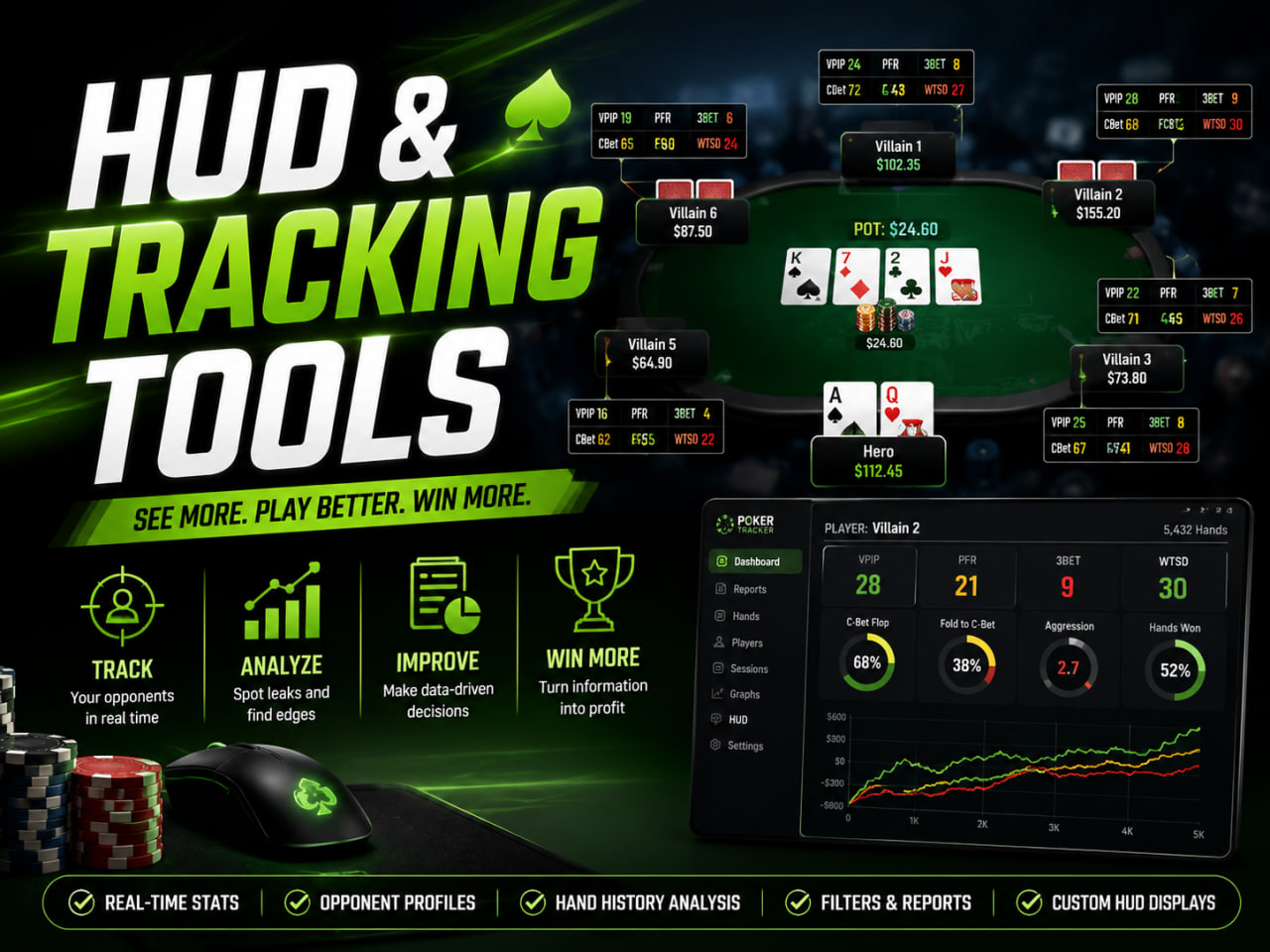
PokerTracker 4 and Holdem Manager 3 are the two long-standing options, both offering HUD overlays, hand replayers, and detailed postgame reports — the kind of dashboard that lets you pull up a specific opponent's full profile (VPIP, PFR, 3-bet%, aggression, hands won%, and a running graph of their results) in a couple of clicks. Newer entrants like GTO Wizard's tracker-adjacent tools lean more toward solver comparison than pure stat tracking, useful if your main goal is reviewing hands against GTO lines rather than reading live opponent stats. Most beginners are well served by whichever option has better support for the specific room and game type they play — feature depth matters less at first than simply having accurate, readable stats.
Start with a minimal layout — VPIP, PFR, and 3-bet% are enough to begin with. A cluttered HUD that you can't read in the two seconds you have to act is worse than no HUD at all. Add stats gradually as you learn to actually incorporate them into decisions, rather than loading everything on day one.
It's also worth remembering that HUD stats need volume to mean anything. A player's VPIP over 15 hands is close to noise; useful reads generally need 50-100+ hands on a given opponent before the numbers stabilize — which is exactly what real-time stats, opponent profiles, hand history analysis, filters and reports, and custom HUD displays are built to accumulate for you over time.
HUD and tracking software rules vary significantly by poker room. Many rooms — especially anonymous-table and crypto-friendly platforms designed to protect recreational players — restrict or outright ban third-party HUDs, while others allow them freely. Using a HUD where it isn't permitted can put your account at risk, so this is always worth confirming directly against the specific room's terms of service before installing anything.
Check which of our recommended rooms fit your setup before you install anything.